YouTube, TikTok & Instagram Reels Thumbnail Maker & Editor
The AI YouTube thumbnail maker that watches your video first.
Paste a link. An AI agent watches the whole video, finds the second worth clicking, makes the thumbnail, scores it and fixes it. Then you edit every word and shape yourself.
Or upload an MP4 up to 200MBPlans from $19/mo, cancel anytime
Renders 1280×720 for YouTube and 1080×1920 for TikTok and Reels.
chair-race.mp44:12

Thumbn is an AI thumbnail maker and editor for YouTube, TikTok and Instagram Reels. You paste a video link or upload the file, and an AI agent watches the whole video, picks the most clickable moment, makes the thumbnail, scores it out of 10 and improves it.
Thumbn renders 1280×720 for YouTube and 1080×1920 for TikTok and Reels from one run, keeps headline text and shapes editable, and can be used from Claude or ChatGPT through an MCP server. Plans start at $19 a month for 60 credits.
These came out of Thumbn. Nobody opened a design tool.
Real renders from real videos, exactly as the agent delivered them.
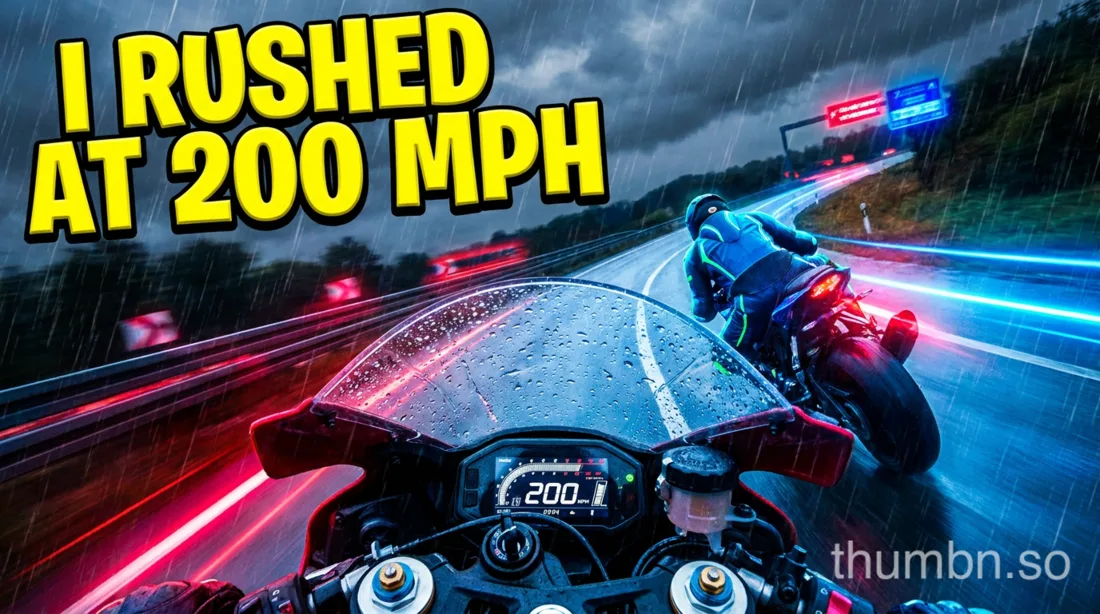
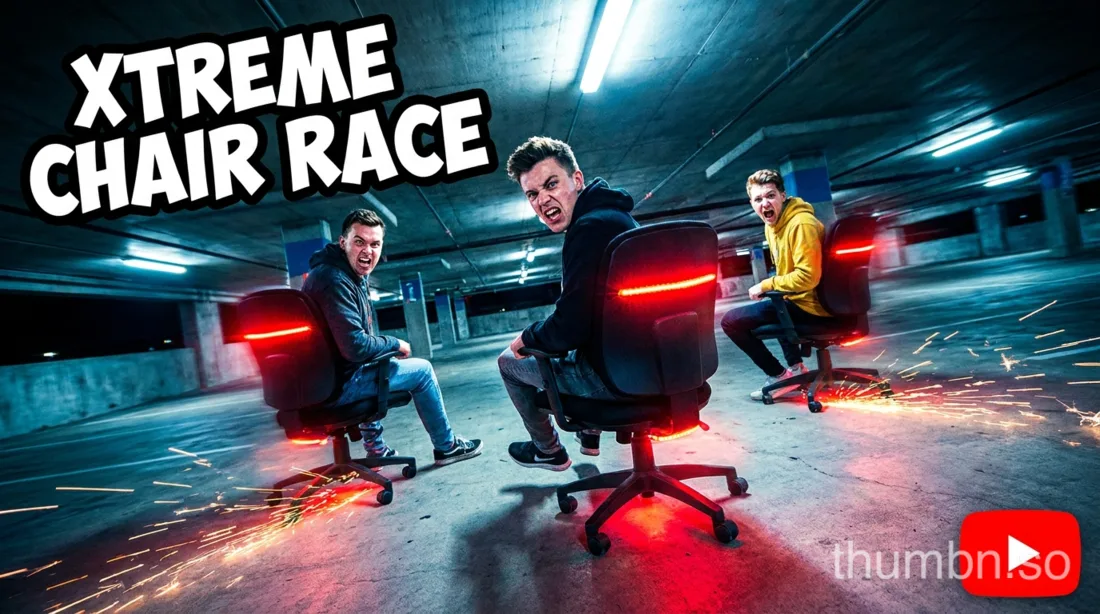
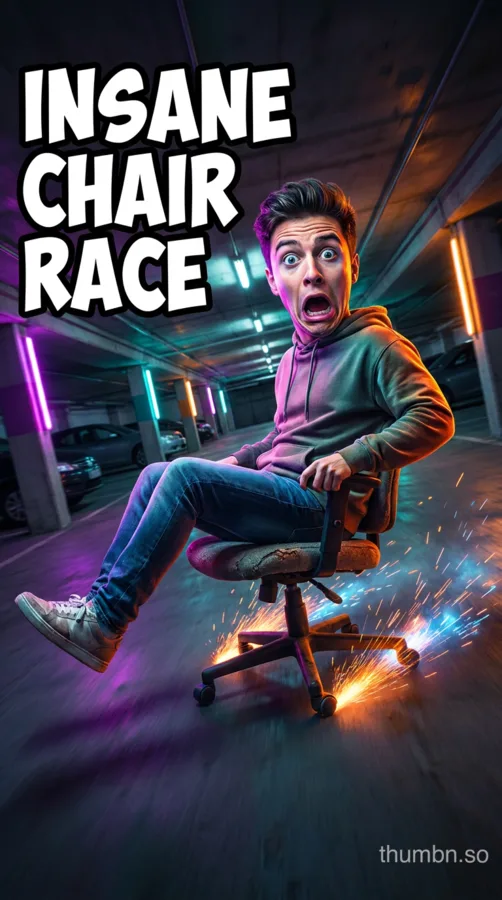
An agent, not a prompt box
Most thumbnail generators send one prompt to an image model and hand you whatever comes back. Thumbn runs an agent with its own tools and a scoring rubric, in a loop, on your actual footage.
You watch every step while it runs, and you can step in at any point.
8.6 / 10
- 1
Watch
Reads the whole video scene by scene, with timestamps, and picks the second most worth clicking.
- 2
Write
Turns that moment into up to four thumbnail concepts in the style you chose.
- 3
Render
Draws each concept at 16:9 for YouTube and 9:16 for TikTok and Reels.
- 4
Score
Grades every render out of 10 against the style's rubric and writes down what is wrong with it.
- 5
Fix
Edits the weak spots and scores again. Every version is kept, so nothing is lost on the way.
Then you direct it
A generator that stops after one image isn't much use. Say what to change, and the agent adds text, arrows and shapes as objects you can still move.
A looping demonstration of the Thumbn studio: a creator asks the agent to circle a chair and add an arrow, the agent looks at the thumbnail, places a ring and an arrow on it as movable objects, and scores the result 9.1 out of 10.
- Point at one image and the agent edits that exact frame
- Paint over an area and only that area is redrawn
- Attach your face, logo or a look you want matched
- Every version kept, scored and downloadable
Everything in Thumbn
One subscription covers the whole job, from the video to the published thumbnail.
Make
- Upload or paste a link
- MP4 up to 200MB, or a YouTube, TikTok or Instagram Reels link. No describing your own footage.
- Six styles
- MrBeast, clickbait, cinematic, minimal, aesthetic and documentary. Switch at any point and the agent follows.
- Two image models
- Nano Banana Pro and GPT Image 2. Pick per run, or try the same concept on both.
- Your face, logo and product
- Attach reference images once and they stay faithful across every render.
Edit
- Say what to change
- Click a thumbnail, type the change. The agent edits that exact image and returns a new version.
- Mask pen
- Paint over one area and only that area is redrawn. Everything outside it stays pixel-identical.
- Text that stays editable
- Headlines are text objects, not painted pixels. Retype them, change the font, colour, outline or glow, and the agent can restyle them too.
- Shapes and callouts
- Over 50 arrows, badges, bursts, speech bubbles and marks, or ask the agent to draw one. Safe zones for each platform are a click away.
- Branches
- Go back to any earlier version and try a different direction. It becomes a new branch and the original line is kept.
Ship
- Preview it where it is judged
- See it in a YouTube home grid on a desktop screen and in the YouTube, Instagram Reels and TikTok feeds on a phone, before you publish.
- Export at the right size
- 1280×720 for YouTube, 1080×1920 for TikTok and Reels, as PNG or a JPG under YouTube's 2MB limit.
- Localize
- Redraw a finished thumbnail with its on-image text translated, one version per language.
- API and MCP server
- Make thumbnails from Claude, ChatGPT or your own code, and set them on your YouTube videos.
Building on it? Read the API and MCP docs
Six thumbnail styles
Pick the look before the run or switch part-way. The style shapes the concept, the render and the rubric it is scored against.
- MrBeast style thumbnails
- Hyper-saturated colour, exaggerated emotion and huge stakes, readable at a glance.
- Clickbait style thumbnails
- Red arrows, circles and shock value, with bold outlined text of three words or fewer.
- Cinematic style thumbnails
- A moody film still with dramatic grading and a sense of scale, little or no text.
- Minimal style thumbnails
- One clear subject, generous empty space and restrained type.
- Aesthetic style thumbnails
- Soft light and a calm pastel lifestyle look.
- Documentary style thumbnails
- An honest, photographic frame that lets the real moment carry the click.
Who uses it
YouTube creators
Vlogs, challenges, reviews and tutorials: the thumbnail comes from the moment in your video that earns the click.
YouTube thumbnail makerShorts, Reels and TikTok
A 1080×1920 cover from the same concept as your YouTube thumbnail, checked against each app's buttons.
TikTok thumbnail makerPodcasts and interviews
Long episodes are where watching the footage pays off most: it finds the one reaction worth showing.
Podcast thumbnail makerTeams and developers
Generate thumbnails from Claude, ChatGPT or your own pipeline through the MCP server and REST API.
API and MCP docsThumbn compared with template tools and design apps
There are three ways to make a thumbnail. Template tools are quickest, design apps give the most control, and Thumbn is the one that starts from your footage.
| Thumbn | Template tools | Design apps | |
|---|---|---|---|
| Starts from | Your actual video, watched end to end | A title and a template | A blank canvas |
| Finds the moment | Yes, with timestamps for every scene | No, you supply the idea | No, you scrub the footage |
| Checks its own work | Scores each render and fixes weak spots | Some offer a score | Your own eye |
| Text after generation | Editable objects | Often painted into the image | Editable |
| YouTube, TikTok and Reels | All sizes from one run | Usually one at a time | Resize by hand |
| Time for a first draft | A few minutes | About a minute | Half an hour or more |
Head to head:Thumbn vs ThumioThumbn vs PikzelsThumbn vs ThumbmagicThumbn vs vidIQThumbn vs Canva
About 32¢ a thumbnail
One credit is one render. The free tools cost nothing, and Pro is $19 a month for 60 renders. Cancel any time, and keep everything you made.
Free
$0/mo
No card needed
- Thumbnail and video downloaders
- Preview, safe zones, resizer and CTR calculator
- 1 AI thumbnail a day from a description, watermarked
- Upgrade when you want thumbnails from your videos
ProMost creators start here
$19/mo
60 credits a month
- Both image models
- No watermark
- 4 concepts per run
- Full agent studio
Studio
$49/mo
175 credits a month
- Everything in Pro
- Highest monthly allowance
- Credit packs never expire
- Priority rendering
Credits cover renders that run on Thumbn's API keys. Bring your own Google, OpenAI or Anthropic key and those renders bill to your provider account instead. Monthly plan credits reset each billing period; credits bought as packs never expire.
Frequently asked questions
What is an AI thumbnail generator?
An AI thumbnail generator creates video thumbnails automatically instead of you designing them by hand. Thumbn goes further than a text prompt: it watches your actual video, finds the most clickable moment, writes the concept and renders the image.
How does Thumbn make a YouTube thumbnail?
Upload a video file or paste a link. Thumbn analyses the footage scene by scene, picks the peak moment, writes a thumbnail concept in the style you choose, then renders it at 1280×720 for YouTube and 1080×1920 for TikTok and Reels.
Can I edit the thumbnail after it is generated?
Yes. Click any thumbnail to point the agent at it and describe the change — bigger text, a different background, a red arrow. Every version is kept, so you can always go back to an earlier one.
Does the thumbnail maker work for TikTok and Instagram Reels?
Yes. One run produces both a 16:9 image for YouTube and a 9:16 image for TikTok and Instagram Reels, from the same concept.
Can I try Thumbn for free?
Generating thumbnails needs a plan, because every run watches a full video and renders several images. Pro is $19 a month and you can cancel at any time. The free tools, such as the thumbnail preview, resizer and safe zone checker, need no account.
What size should a YouTube thumbnail be?
YouTube recommends 3840×2160 pixels in a 16:9 shape, at least 640 pixels wide, as a JPG or PNG. 1280×720 is also accepted and is the size most thumbnails use. The file limit is 2MB when uploading from a phone and 50MB from a computer. TikTok and Instagram Reels covers are 1080×1920.
Can I change the text on a thumbnail after it is made?
Yes. Headlines are editable text objects: retype them and change the font, size, colour, outline or glow. If a thumbnail has its words painted into the image, the agent can remove them and put them back as editable text.
Is Thumbn an alternative to Thumio, Pikzels or Canva?
Yes, for creators who want the thumbnail built from the video itself. Those tools start from a title, a template or a blank canvas. Thumbn watches the footage and builds the concept from it. Each has strengths Thumbn lacks, such as template libraries, and the comparison pages set those out.
Do I need my own API keys?
No. Renders run on Thumbn's keys and spend credits from your plan. If you add your own Google, OpenAI or Anthropic key, those renders bill to your provider account instead and stop using credits.
How much does Thumbn cost?
Pro is $19 a month for 60 credits, and Studio is $49 a month for 175 credits. Monthly credits reset each billing period; credits bought as packs never expire.
Your next thumbnail is already in the video.
Paste the link. Thumbn will find it.
Or upload an MP4 up to 200MBPlans from $19/mo, cancel anytime